
Support
Find help for current KraiSoft games, browser issues, purchases, account questions, downloads and legacy Windows titles.
Some KraiSoft games are actively maintained, while others are part of our legacy PC catalogue. Legacy downloads are provided as-is and may not work on every modern Windows system.
Current Games
These games are currently maintained. We provide support for access, gameplay issues, browser compatibility and account or purchase-related questions where applicable.



Legacy PC Games / Archive
These are older KraiSoft Windows games from the classic PC era. Some may still run on modern Windows systems, but they are not actively maintained and compatibility can depend on your device, operating system, security settings and graphics drivers.
Downloads are provided as-is for legacy players and archive purposes. Before publishing a file, we check the installer and record its version, file size and checksum.
Legacy Windows compatibility:
These games were designed for older Windows versions such as Windows 95/98/ME/2000/XP. Some may work on newer Windows with compatibility settings, but they are not actively maintained and results may vary by device, OS version, security settings and graphics drivers.
These are old or unsigned installers. Windows or your browser may display a security warning.
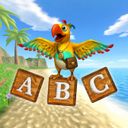
ABC Island
- Version 1.2.6
- File size: 4.3 MB
- Security: SHA-256 checksum is published on the game's page
- Status: Legacy download / not actively maintained
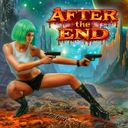
After The End
- Version 1.4.4
- File size: 20.3 MB
- Security: SHA-256 checksum is published on the game's page
- Status: Legacy download / not actively maintained
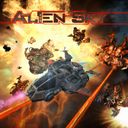
Alien Sky
- Version 1.8.5
- File size: 6.8 MB
- Security: SHA-256 checksum is published on the game's page
- Status: Legacy download / not actively maintained
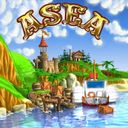
Asea
- Version 1.2.1
- File size: 6.8 MB
- Security: SHA-256 checksum is published on the game's page
- Status: Legacy download / not actively maintained
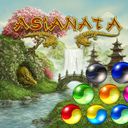
Asianata
- Version 1.1.6
- File size: 5.8 MB
- Security: SHA-256 checksum is published on the game's page
- Status: Legacy download / not actively maintained
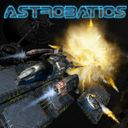
Astrobatics
- Version 1.1.7
- File size: 5.8 MB
- Security: SHA-256 checksum is published on the game's page
- Status: Legacy download / not actively maintained
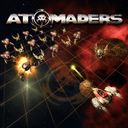
Atomaders
- Version 1.9.8
- File size: 10.5 MB
- Security: SHA-256 checksum is published on the game's page
- Status: Legacy download / not actively maintained
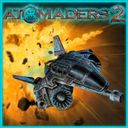
Atomaders 2
- Version 1.0.0
- File size: 11.8 MB
- Security: SHA-256 checksum is published on the game's page
- Status: Legacy download / not actively maintained
Aquacade
- Version 1.1.4
- File size: 5.5 MB
- Security: SHA-256 checksum is published on the game's page
- Status: Legacy download / not actively maintained
Boom Voyage
- Version 1.1.0
- File size: 6.1 MB
- Security: SHA-256 checksum is published on the game's page
- Status: Legacy download / not actively maintained

Fluff ’em Up
- Version 1.0.8
- File size: 4.3 MB
- Security: SHA-256 checksum is published on the game's page
- Status: Legacy download / not actively maintained

Jigsaw Puzzle Lite
- Version 1.7.5
- File size: 8.6 MB
- Security: SHA-256 checksum is published on the game's page
- Status: Legacy download / not actively maintained

Real Jigsaw Puzzle
- Version 1.2.0
- File size: 5.4 MB
- Security: SHA-256 checksum is published on the game's page
- Status: Legacy download / not actively maintained
Trash Killer 2
- Version 2.0.7
- File size: 1.9 MB
- Security: SHA-256 checksum is published on the game's page
- Status: Legacy download / not actively maintained
Warkanoid
- Version 1.11.8
- File size: 5.9 MB
- Security: SHA-256 checksum is published on the game's page
- Status: Legacy download / not actively maintained
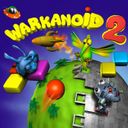
Warkanoid 2: Wild Life
- Version 2.11.8
- File size: 5.6 MB
- Security: SHA-256 checksum is published on the game's page
- Status: Legacy download / not actively maintained
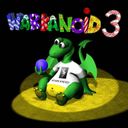
Warkanoid 3: Story Book
- Version 3.4.7
- File size: 3.9 MB
- Security: SHA-256 checksum is published on the game's page
- Status: Legacy download / not actively maintained
Still Need Help?
Send us the game title, your device, operating system, browser and a clear description of the problem. Screenshots help us understand the issue faster.
We usually reply as soon as possible, but response time can vary depending on the request and game status.
Legacy FAQ answers
Will legacy Windows games work on Windows 10 or Windows 11?
Why does Windows show a warning when I download or run an old installer?
Can I recover an old registration key?
Is the Xbox version of Alien Sky or Atomaders available for download?
Can I use legacy KraiSoft games commercially or redistribute them?
Legacy technical FAQ answers
While I am playing the Techno theme of Warkanoid I get to level 47, hit the last block and the game freezes. Is this the end of the game?
Definitely this isn't. Version 1.4 of Warkanoid and version 2.4 of 1st Go Warkanoid II: Total could face such an abnormal behavior on some computers due to a memory management problem. This bug was eliminated in version 1.4.1 so the preferred way is to download the latest version from our website. A faster way is to download a small patch program:
Click here if you are using Warkanoid v.1.4
or
Click here if you are using 1st Go Warkanoid II: Total v.2.4
After downloading and executing a patch installation file you should point to the folder where your copy of Warkanoid is installed (by default it points to a folder where Warkanoid installs itself by default).
Seemingly randomly, when playing 1st Go Warkanoid II, after several levels a message box appears saying "Range Check Error" with a red X at the left side and the game freezes. Also another instances while shooting gets the system frozen with the same pop up.
Version 2.0 of 1st Go Warkanoid II can display such message box due to incompatibility with some types of hardware. This bug was eliminated in the version 2.1 so the preferred way is to download the latest version from our website. A faster way is to download a small patch program:
Click here if you are using a WildLife Edition containing WildLife game theme only
or
Click here if you are using a Total Edition containing two game themes.
After downloading and executing a patch installation file you should point to the folder where your copy of 1st Go Warkanoid II is installed (by default it points to a folder where Warkanoid installs itself by default).